Using Splitfriday
Refunds, holds and payouts, day to day
Five minutes that explain everything you will ever see on an order. Read it once now; later the dashboard will make sense on its own.
The life of a normal order
Every payment walks the same short road:
- Awaiting payment - the order exists, the buyer has not paid yet. If they never do, it quietly cancels itself.
- Paid- the money is in your Stripe account, already divided on paper: each earner's share reserved, your commission counted. Now it waits out the hold window you set in Settings - your protection period for complaints.
- Released- the hold has passed; each earner's share has moved to them. Done. This happens by itself, on the hour.
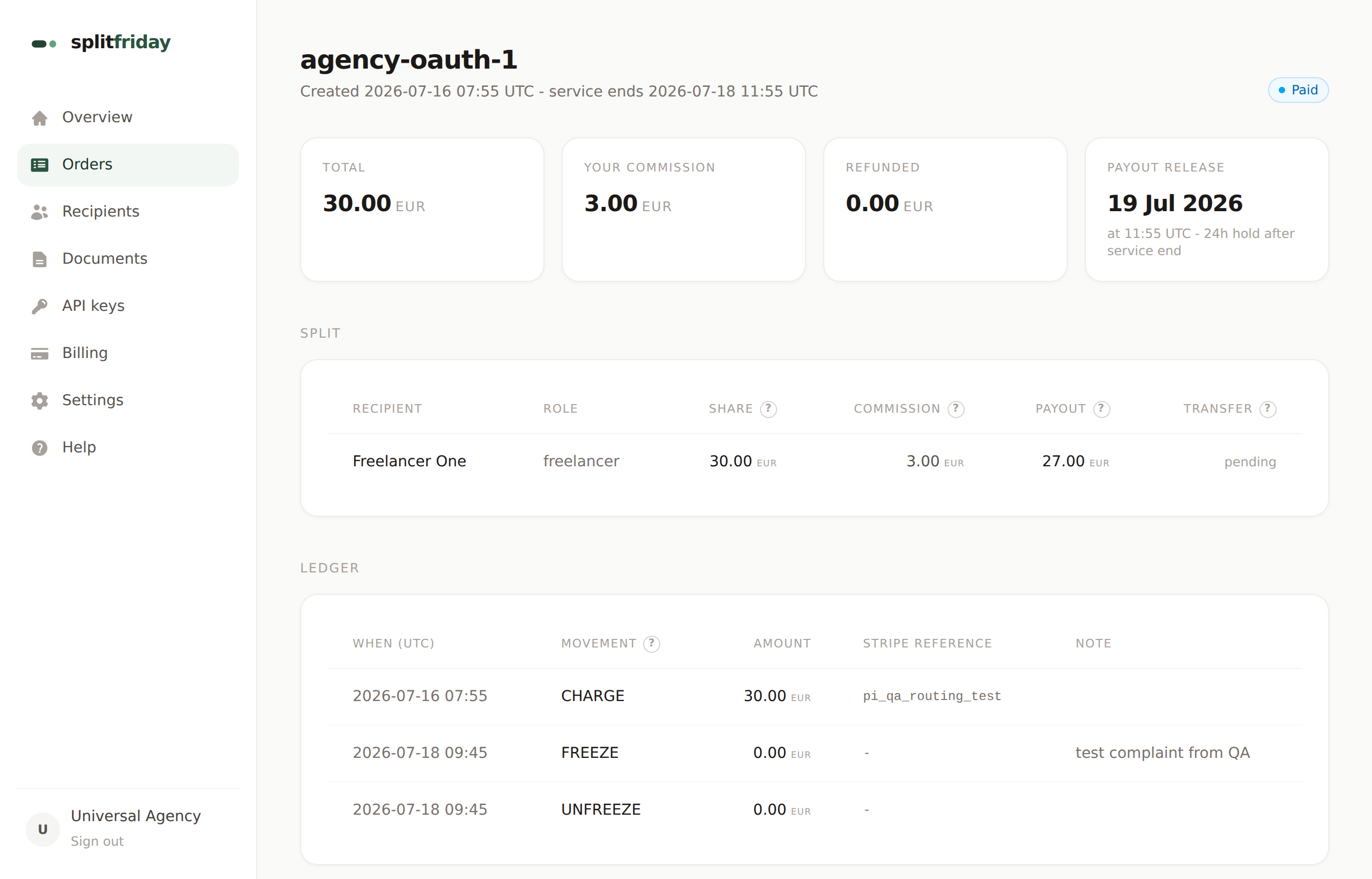
The order page shows the exact release time, and the dashboard lists everything paying out in the next 7 days - that answers the question every earner asks: "when do I get paid?"
Refunds - the button you will actually use
Open the order and use the refund panel. Leave the amount empty for a full refund, or type a partial amount. The money goes back to the buyer's card, and every earner's share and your commission shrink proportionally - the books always balance to the cent, with every movement listed on the order's ledger.
- Buyer cancels per your policy? Use the policy-cancel action - it applies the cancellation tiers from your Settings (for example: free until 48h before, half after) automatically.
- Only one earner's part goes wrong? You can refund just that person's share - the buyer gets that part back, everyone else keeps theirs.
Refunding after the payout already went out?
Possible, but it is a bigger action: the order page offers a refund that also claws the shares back from the earners' accounts. Use it knowingly - the earners will see money pulled back - and only for genuine disputes.
Frozen - the pause button
A complaint lands and you need time? Freeze the order: the payout stops where it is and will not release until you unfreeze. Nothing is lost, nothing moves, you investigate in peace. Unfreeze and the normal schedule resumes.
Chargebacks - when the buyer's bank gets involved
If a buyer disputes a charge with their bank, Splitfriday freezes the order automatically the moment Stripe reports it, and emails you. You respond to the dispute in your Stripe dashboard (Stripe walks you through the evidence). Win, and the order unfreezes by itself. Lose, and the books adjust to match - with everything recorded on the ledger.
The paperwork does itself
- Monthly: commission invoices to each earner for your cut - generated and emailed automatically, numbered properly for your accountant. Find them under Documents.
- Yearly: an earnings statement per earner, plus the EU platform report (DAC7) ready to file.
- Any time: the Orders page exports a CSV your accountant can open in Excel.
The one email worth reading
Splitfriday emails you at most once a day, and only when something genuinely needs you: a payout that keeps failing, an open chargeback, an earner whose money is waiting on their unfinished setup. No news means everything is running - the system does not send "all good!" noise.
Next guide
When something looks wrong
The six situations owners actually hit, each with its exact fix.